
Find the part you need.
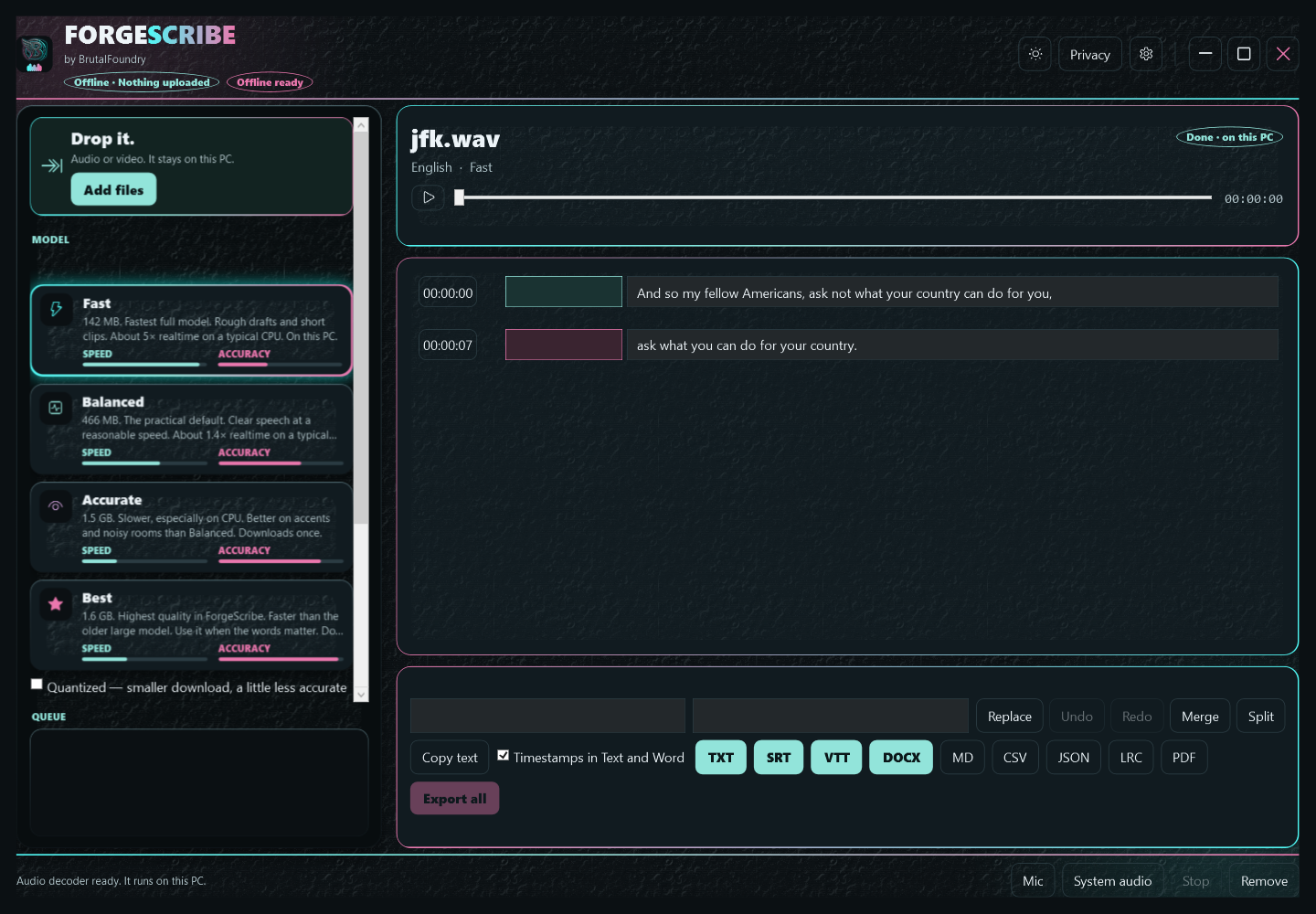
Review a timed transcript, search and replace text, split or merge sections, and rename optional speaker labels.
 ForgeScribe for Windows
Interviews, lectures, voice notes and videos. Transcribe locally, review the words, then export the text or subtitles you need.
US$14.99 once · 7-day Store trial
Now available in Microsoft Store. Microsoft displays local pricing and trial terms.
From recording to something useful
Review a timed transcript, search and replace text, split or merge sections, and rename optional speaker labels.
The app processes your media on your PC. Download the speech models you need, then use them locally.
Export TXT, SRT, VTT, DOCX, Markdown, CSV, JSON, LRC or PDF. Your exported files work outside ForgeScribe.
How it works
Choose audio or video files, add a batch, or record a selected microphone or system-audio output.
Fast, Balanced, Accurate or Best. Download each model once. Compatible Vulkan hardware can help; CPU transcription is available.
Check the words and timestamps. Recognition and speaker labels can be wrong, especially with noise or overlapping speech.
Save text for your notes, DOCX for editing, or timed subtitles for a video workflow.
A real result
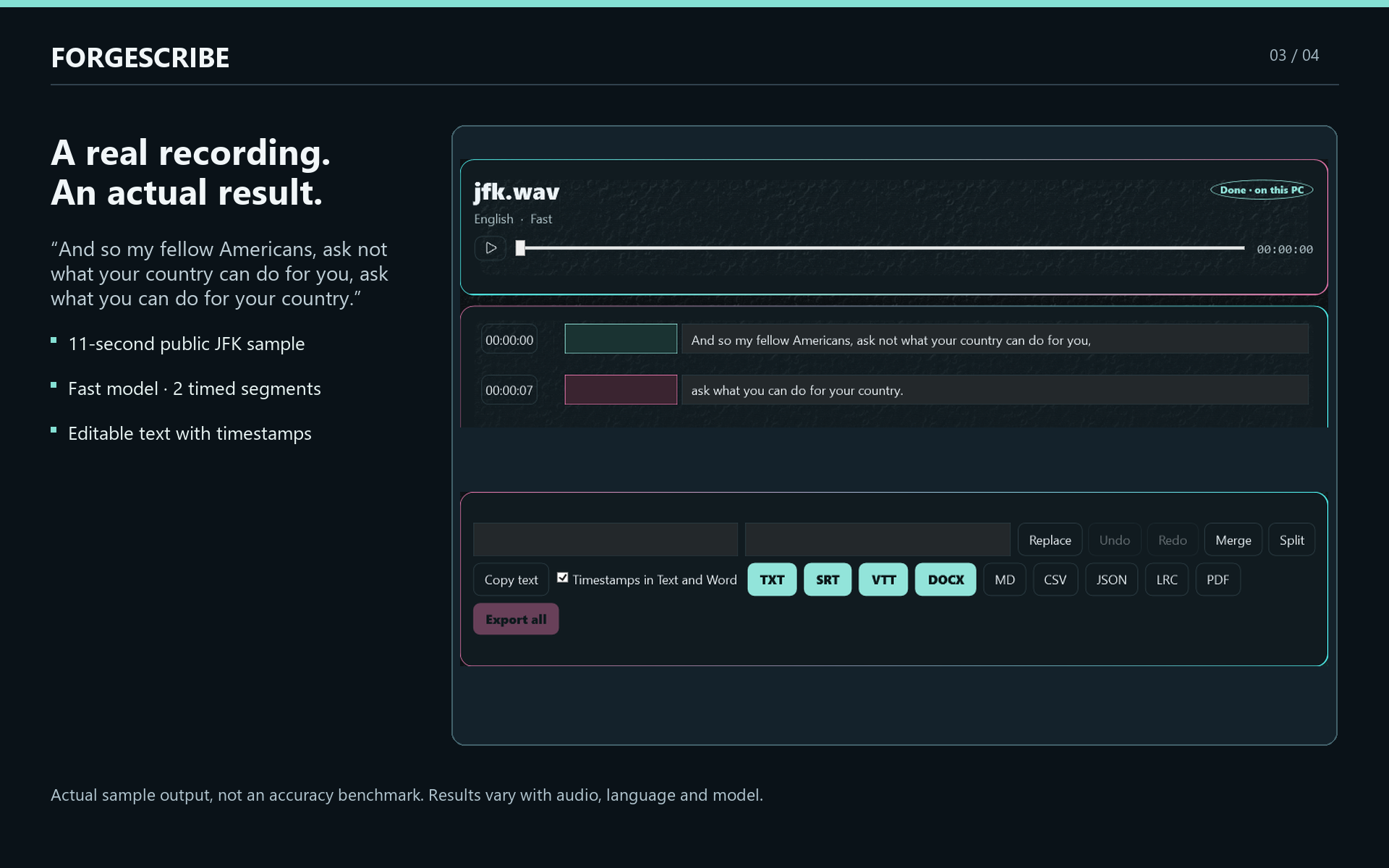
This example uses the Fast model on an 11-second public English JFK recording. It produces two timed transcript segments you can review and export.
One example is not an accuracy or speed guarantee. Results depend on the recording, language, model and hardware.
While you record
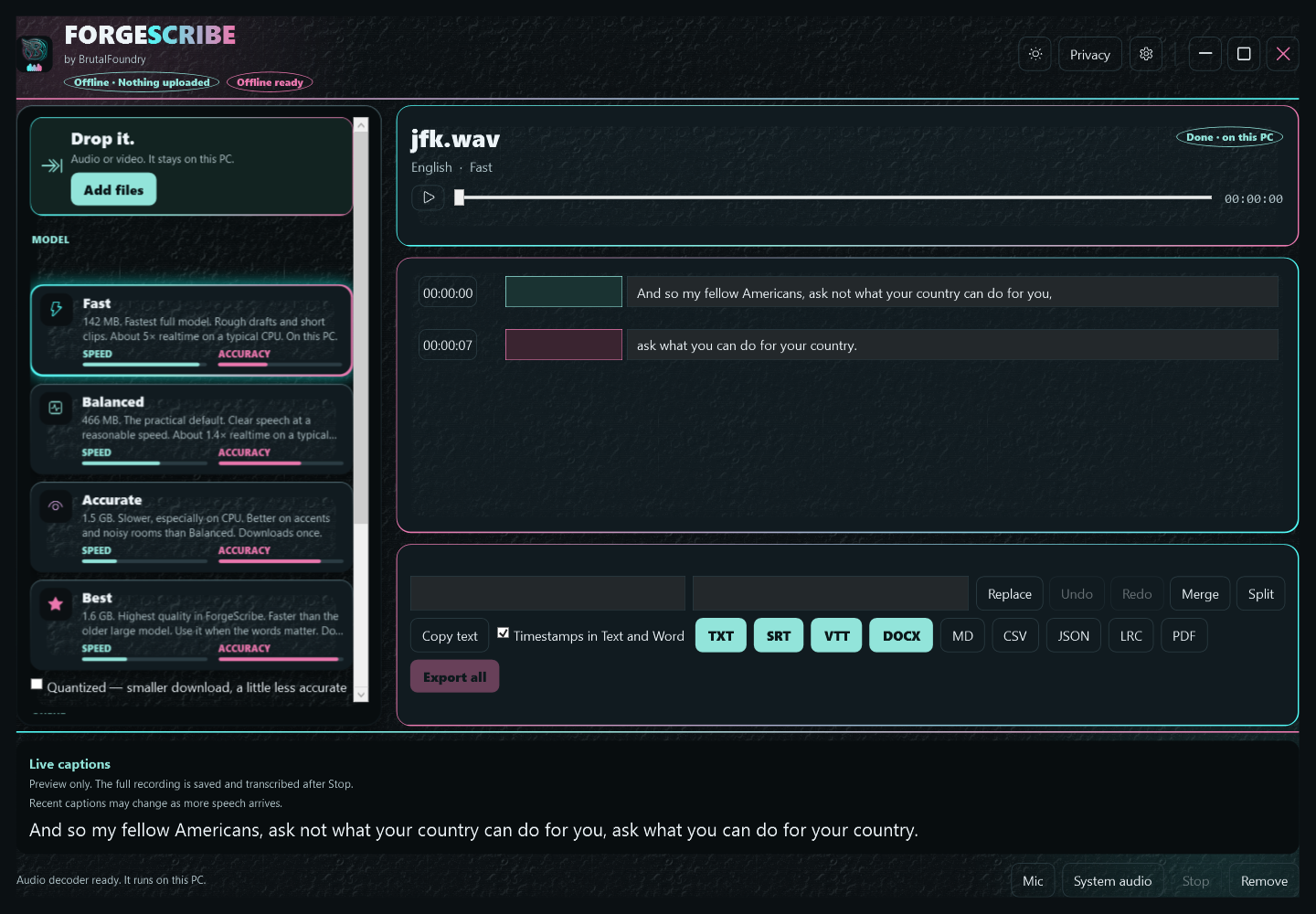
Preview words as audio arrives. Recent text can change with more context, and slower hardware can delay updates. The original recording is saved independently.
Stop recording to queue the full transcription for review and export.
Make it yours
English · Español · Français · Deutsch · 简体中文 · हिन्दी · العربية · বাংলা · Português (Brasil) · Русский · Bahasa Indonesia · اردو
Spoken-language selection is separate. Some technical messages, model descriptions and documentation remain English. Speech translation produces English text.
Use the built-in models or import a complete, compatible whisper.cpp GGML .bin model from a source you trust. ForgeScribe validates a local copy before selecting it.
Before you buy
An x64 PC with Windows 10 version 22H2 or Windows 11. Allow disk space for models, recordings and decoded audio. A microphone is required for microphone recording.
Missing speech models and optional speaker models each need an initial download. Once installed, speech recognition runs locally. Microsoft manages purchases and licensing and may require an internet connection. ForgeScribe does not upload your media or transcripts.
No. The configured US price is $14.99 once, with a fully unlocked seven-day Store trial. Microsoft shows the price and availability for your region.
An active Store license is required to open ForgeScribe. When a trial expires, purchase is required to open the app and saved transcript history. Original recordings and exported files remain usable outside the app.
Yes. Review the words and timing, then export SRT or VTT. PDF has limited character coverage; use DOCX or TXT if the app reports unsupported text.
Saved checkpoints can resume interrupted transcription. Recording WAV headers are updated as audio is written. These recovery features do not guarantee recovery from every failure, so keep the original media.
Windows x64 · Local speech recognition · One-time purchase